Table Updates with OpenTable
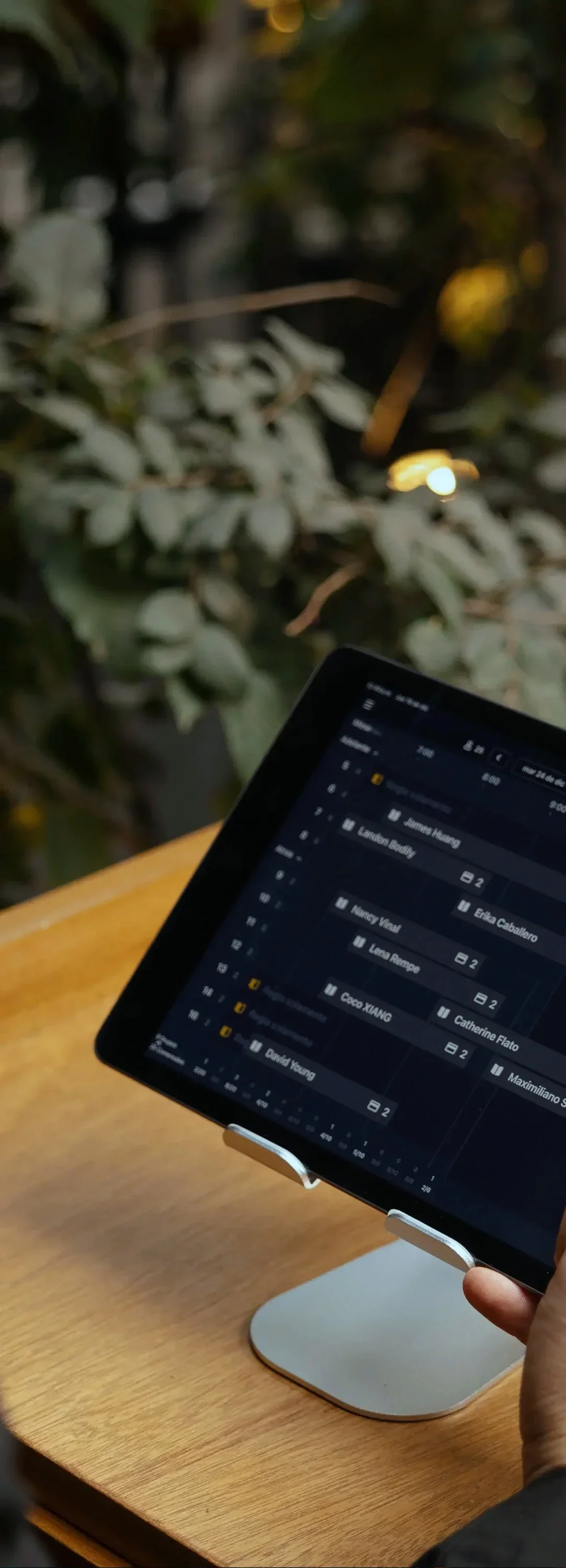
No matter the kind of night it is, slow or busy night, it is important for hosts, managers, and the kitchen to know the status of the dining room. It is typically the hosts’ duty to do a “Table Update”. This notifies the anchoring host the pace of tables and further anticipate the seating arrangement for reservations
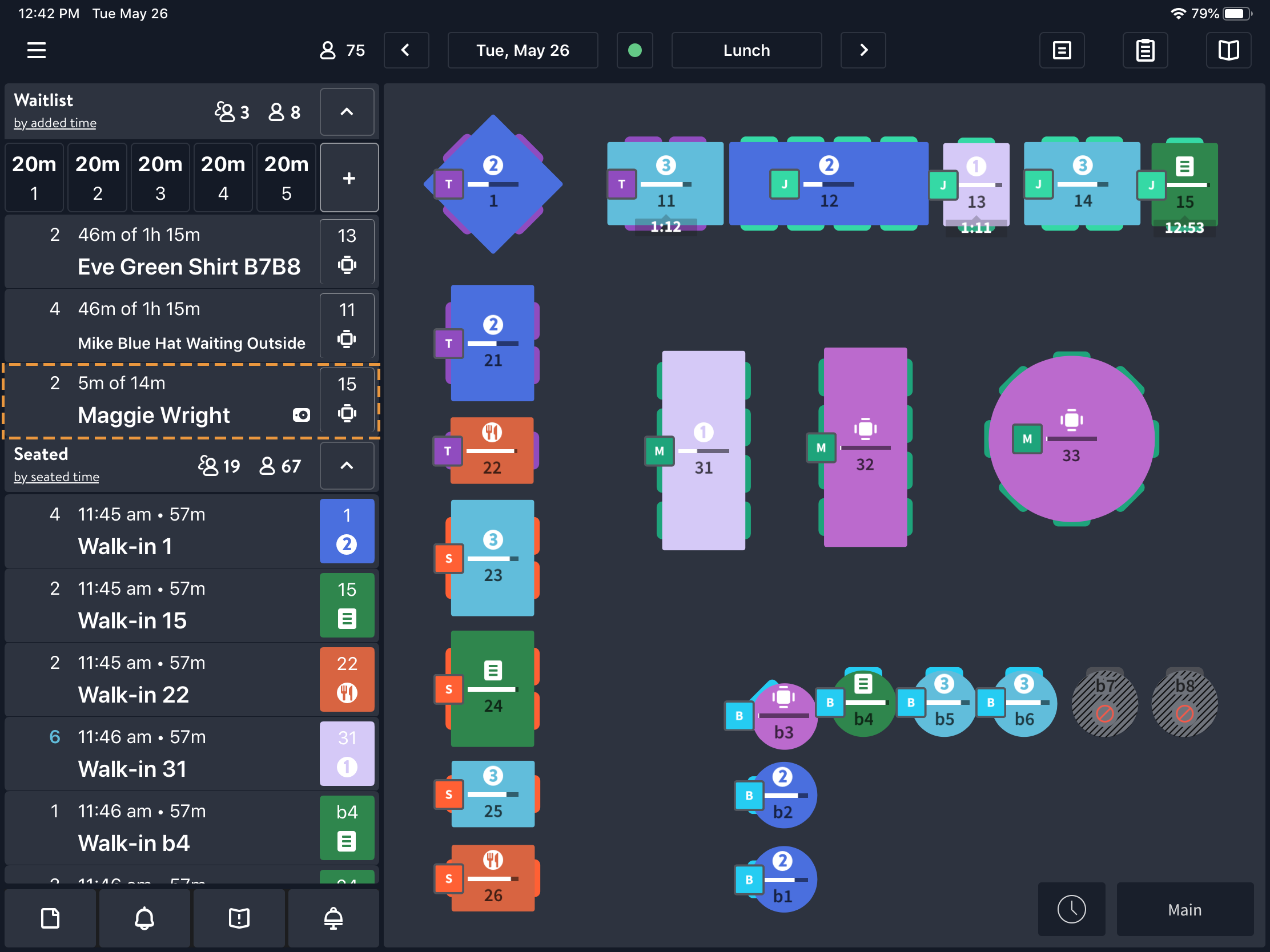
Below I have provided instances of the current OpenTable interface alongside a feature I would implement. It does not erase what OpenTable has, just simply an extension tool for quicker updates!
Origin, process, and conclusion:
Discovery
Upon my closing shifts, I noticed that when we were all in on reservations, most tables were at a very similar pace. So it got frustrating and time consuming to change majority of tables to ‘Dessert’ or ‘Check Dropped’.
Another instance of this friction point occurred during peak hours when I would check-in with servers to ask the status of their tables. They would report back to me “Pastas just dropped to 102, 105, and 109. Drinks are about to hit 106!” Giving me list of tables associated with the stage they are at
Design
From the previous instance, it would’ve be nice to select 102, 105, and 109 in one go and assign them to pastas, rather than doing it individually. As stated prior, the current interface OpenTable manages currently is intuitive and helpful, so I knew I wanted to keep it, just add a feature on top.
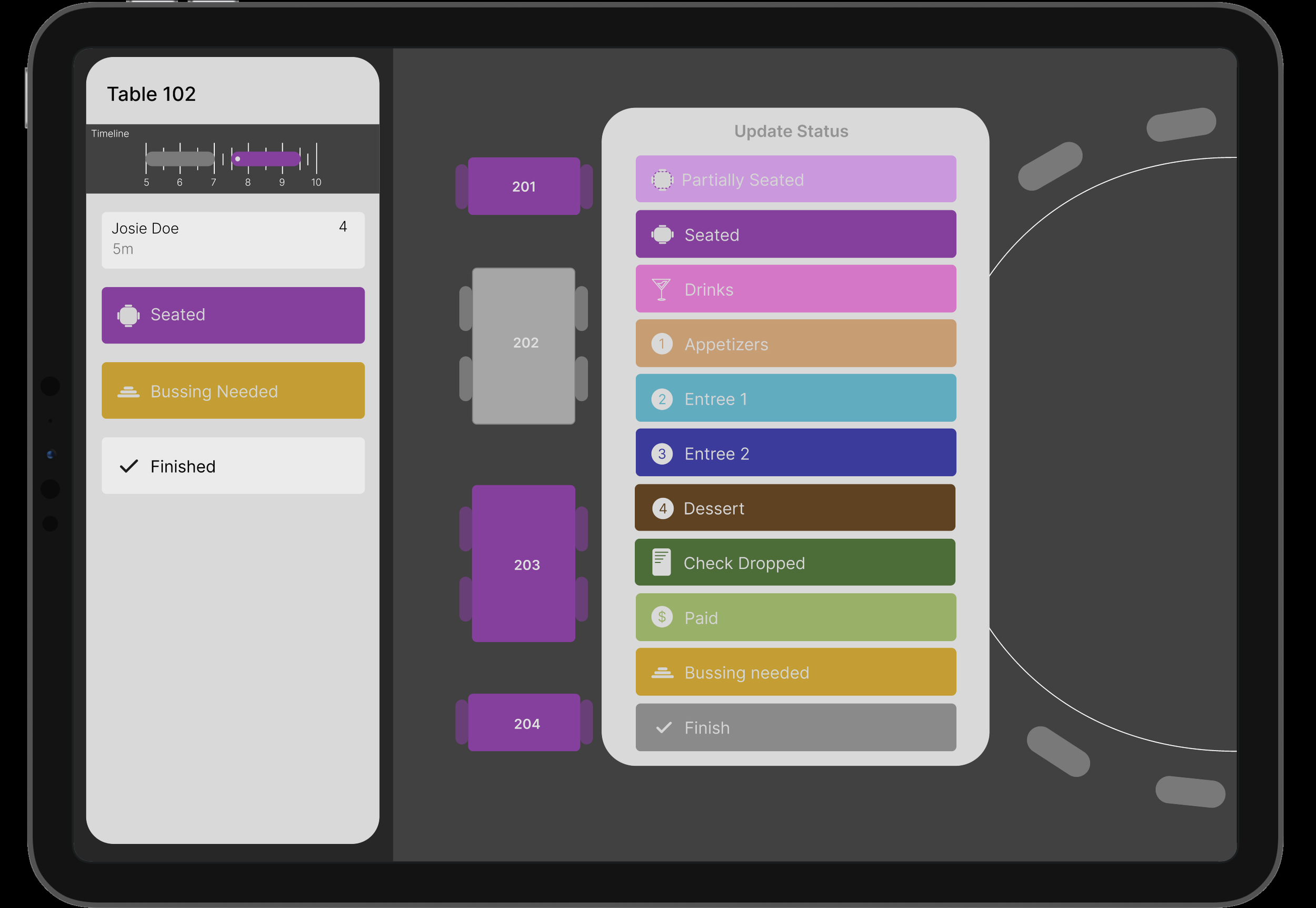
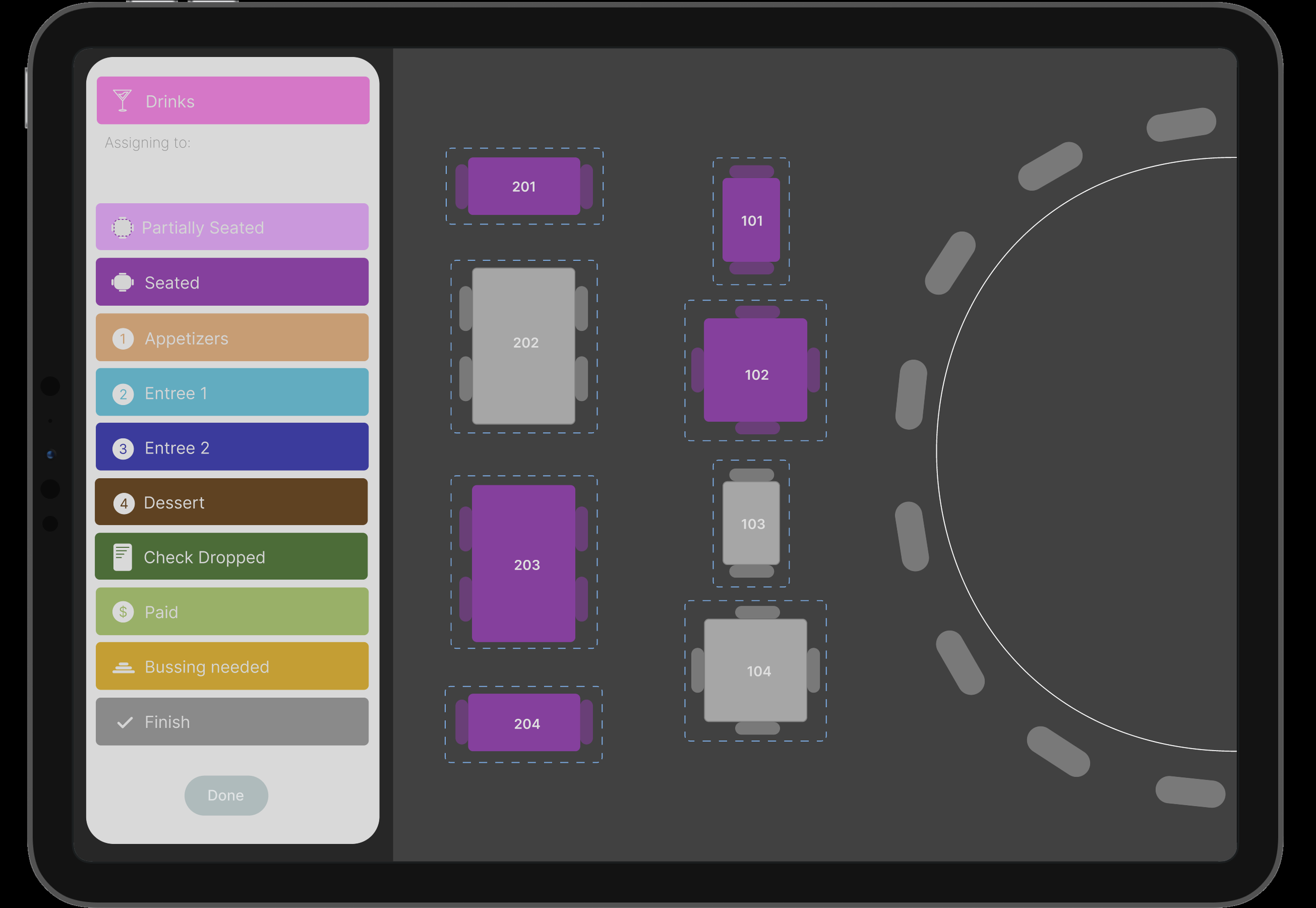
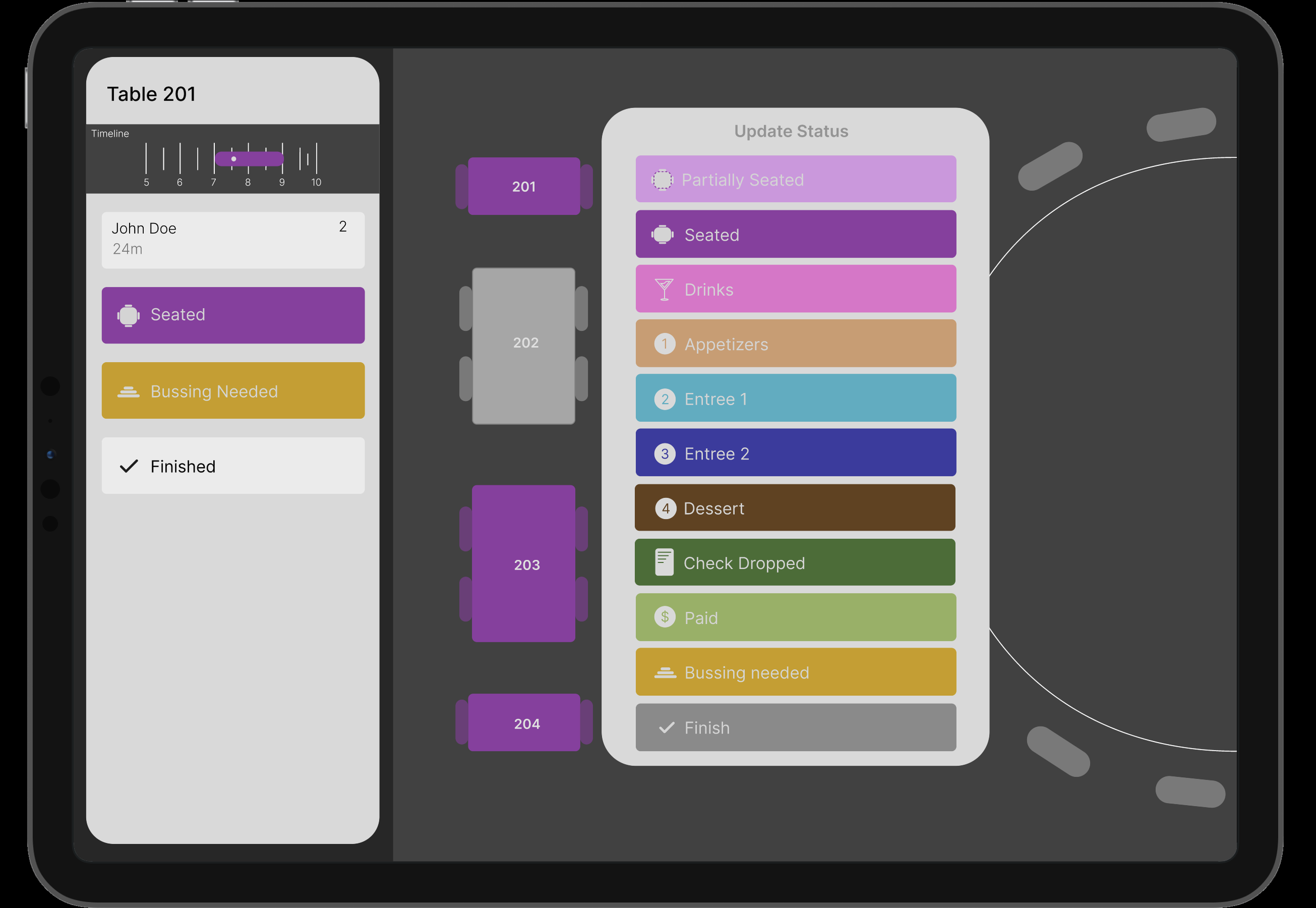
From experience, the pop-up to change a table’s status does cover the entire floor plan and withholds you from selecting other tables on the screen - which I did want to incorporate in my feature. I thought it would be best to implement a hold down feature that transitions to a different frame of the entire floor plan to select the tables at a specific course.
Testing
Using the high-fidelity prototype on Figma, I have tested and used this instance on my peers and myself and we do find it helpful in the scenarios given. However, no professional research was concluded.
Optimization
After testing the high-fidelity prototype, I refined the interaction to make the multi-select process feel natural within OpenTable's existing workflow. The goal was not to replace the current table-status system, but to build upon it by allowing hosts to select multiple tables sharing the same status at once. This reduces repetitive individual selections while preserving the interface patterns users are already familiar with.
How to do an ‘Update’
Individually assign each table to their respective course status.
-
![]()
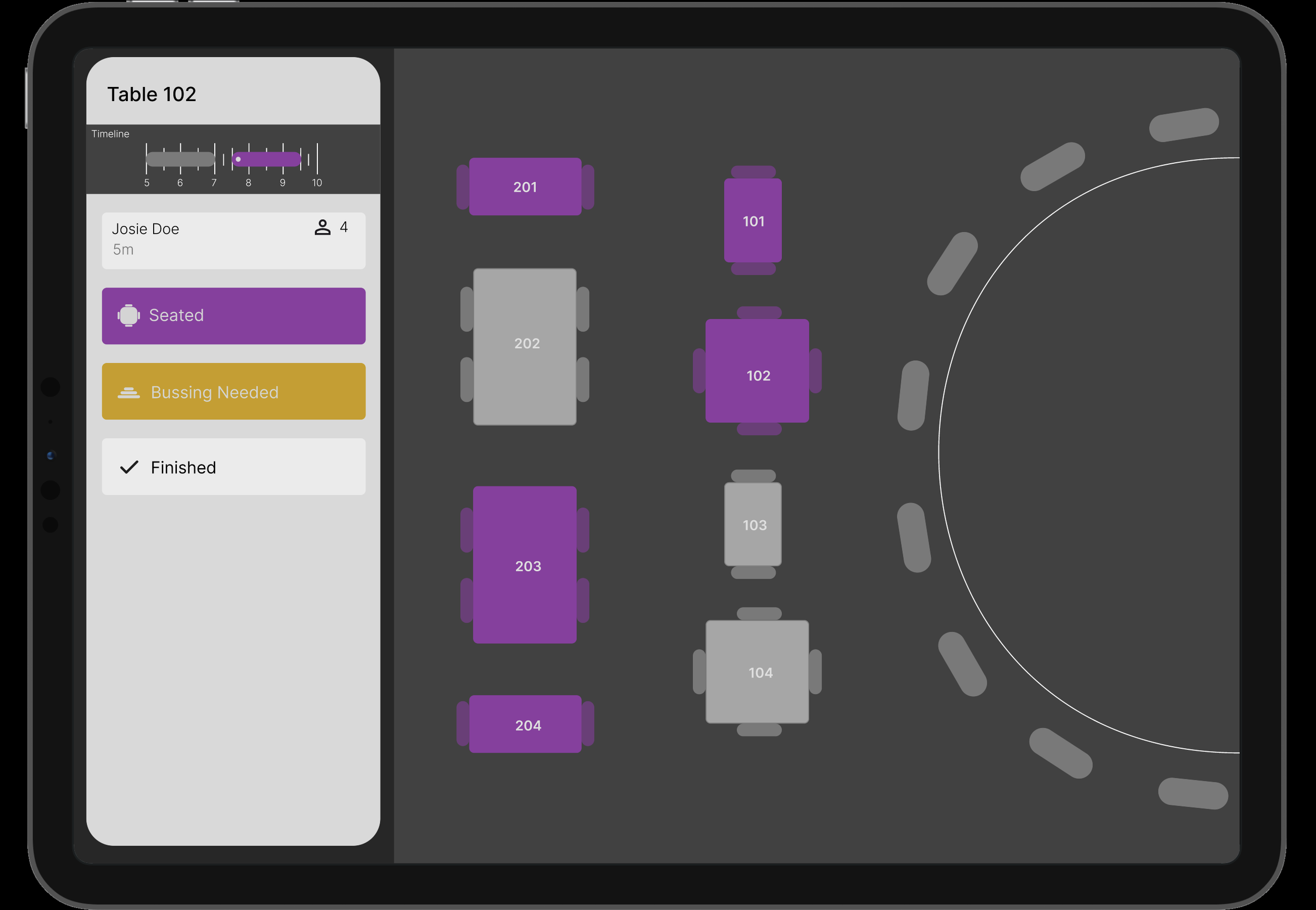
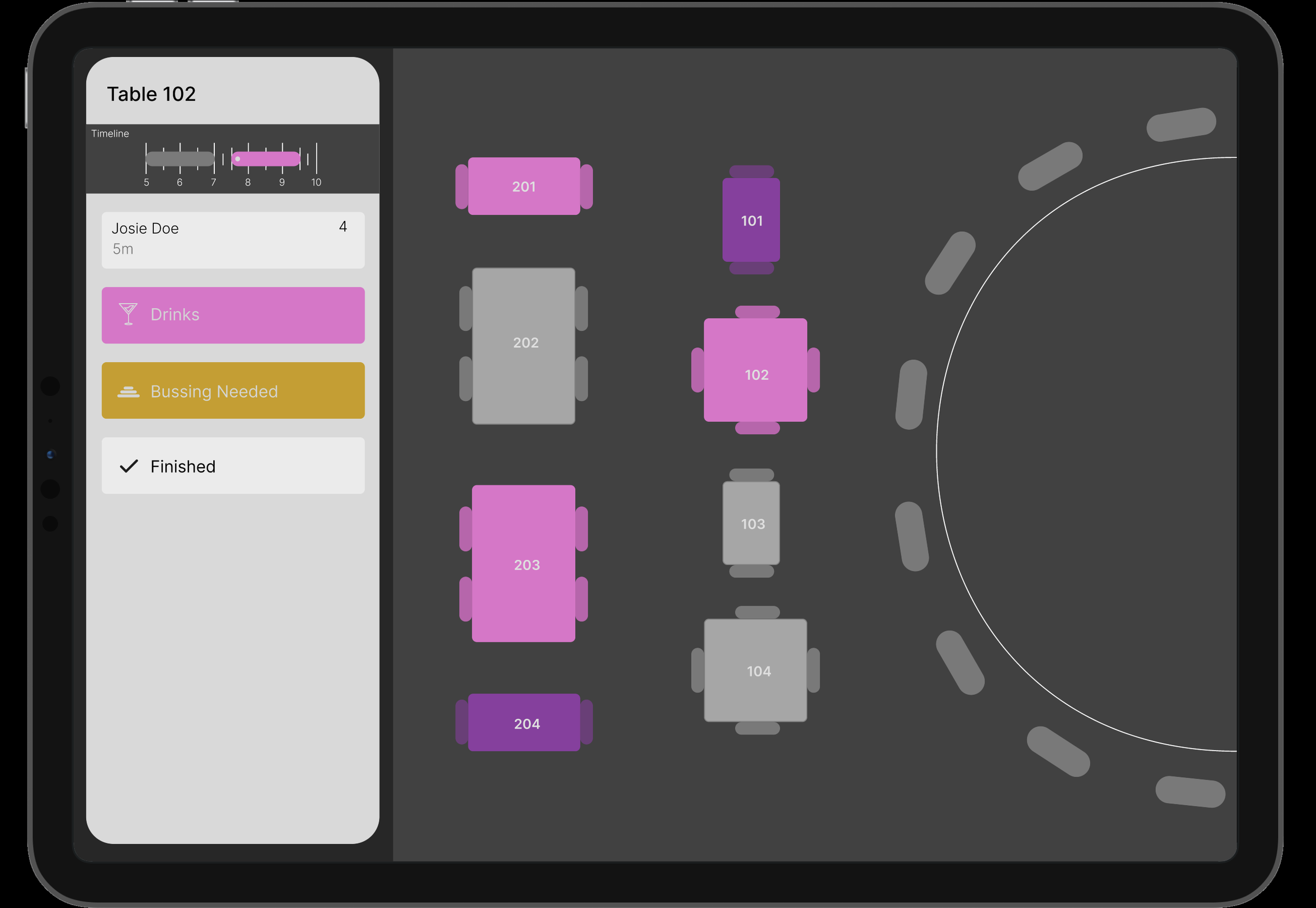
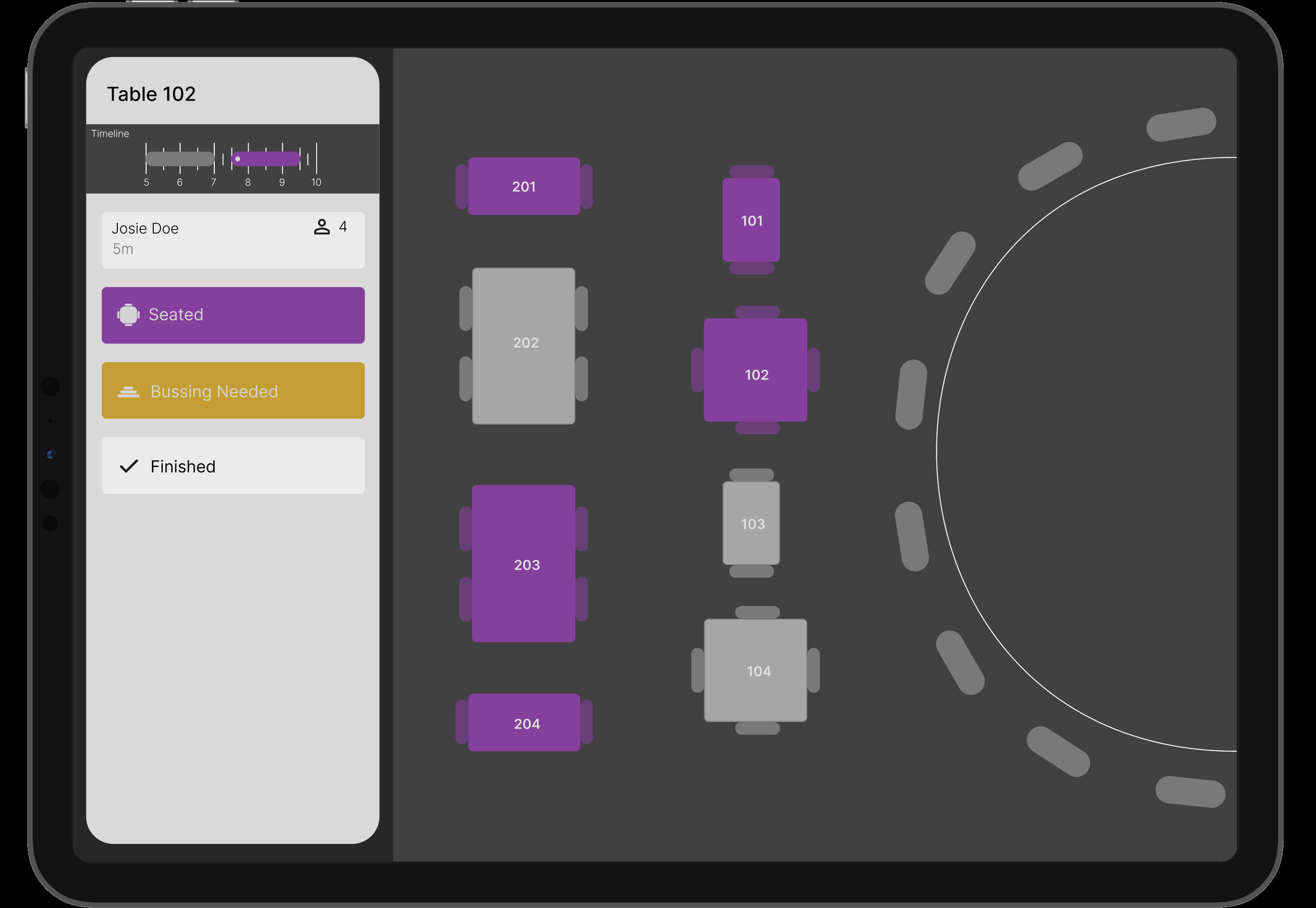
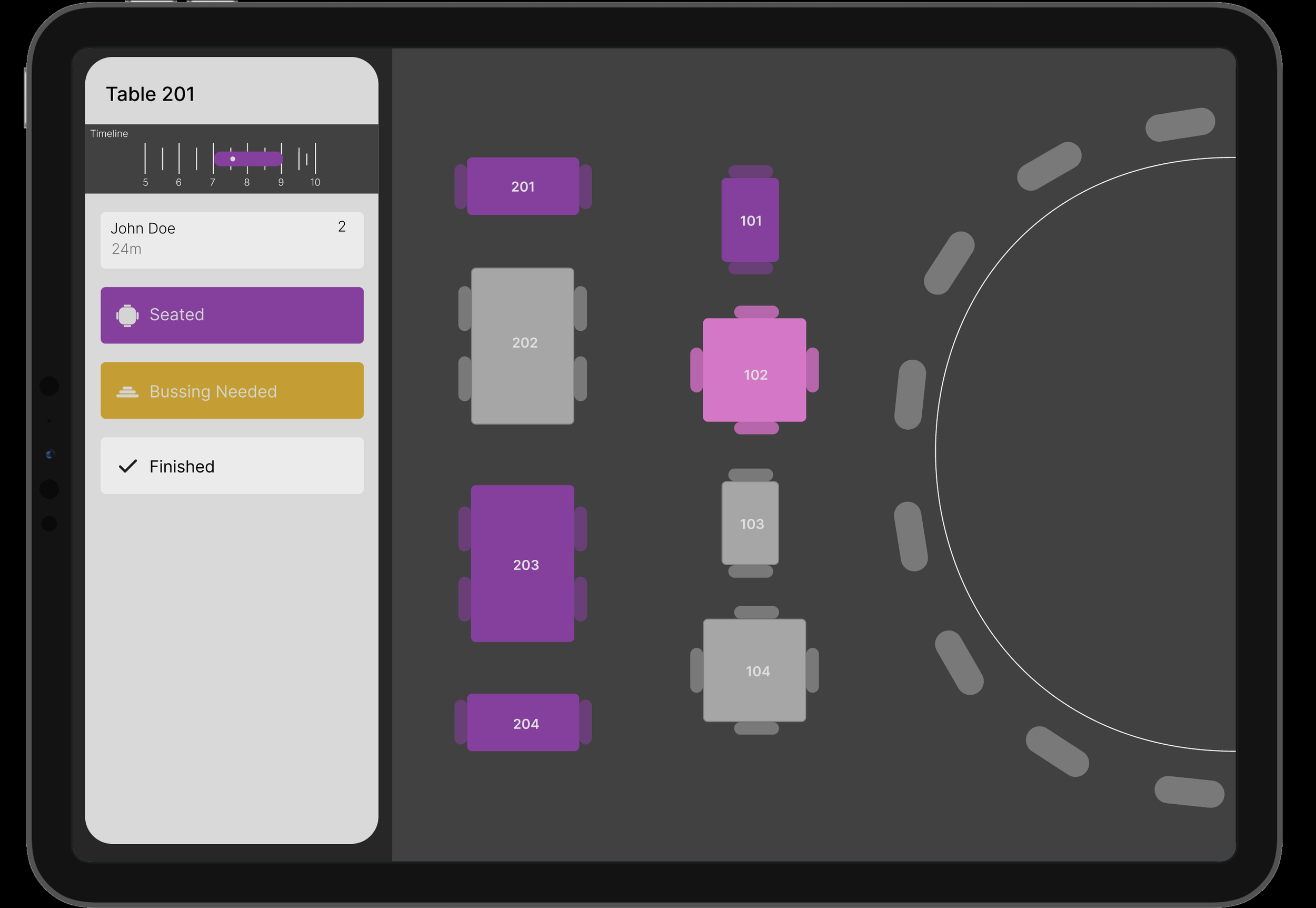
Start table update! Click Table 102, view reservation information on side.
-
![]()
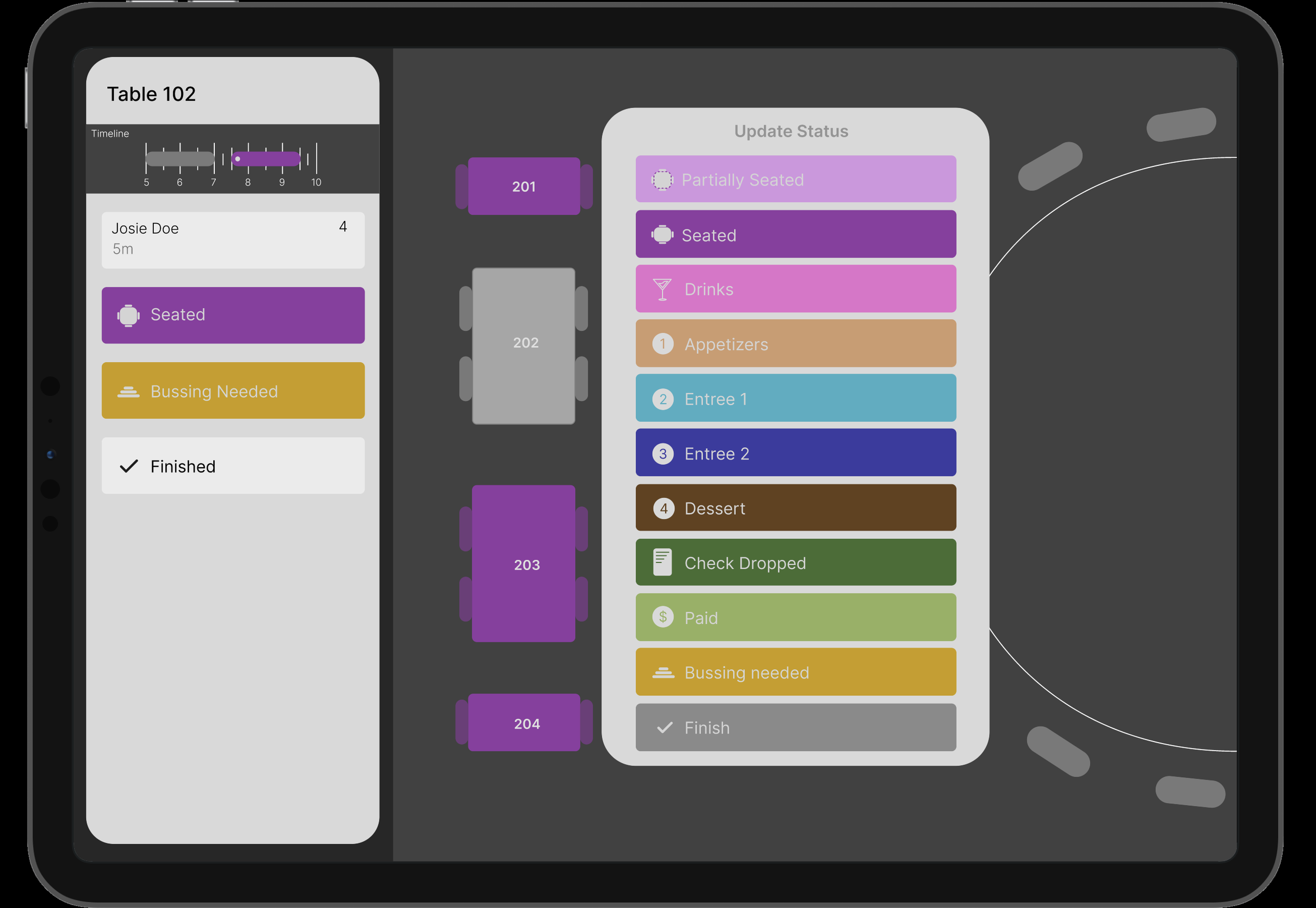
Change table status. Press the purple seated button to be prompted Course Stages. Select 'Drinks'
-
![]()
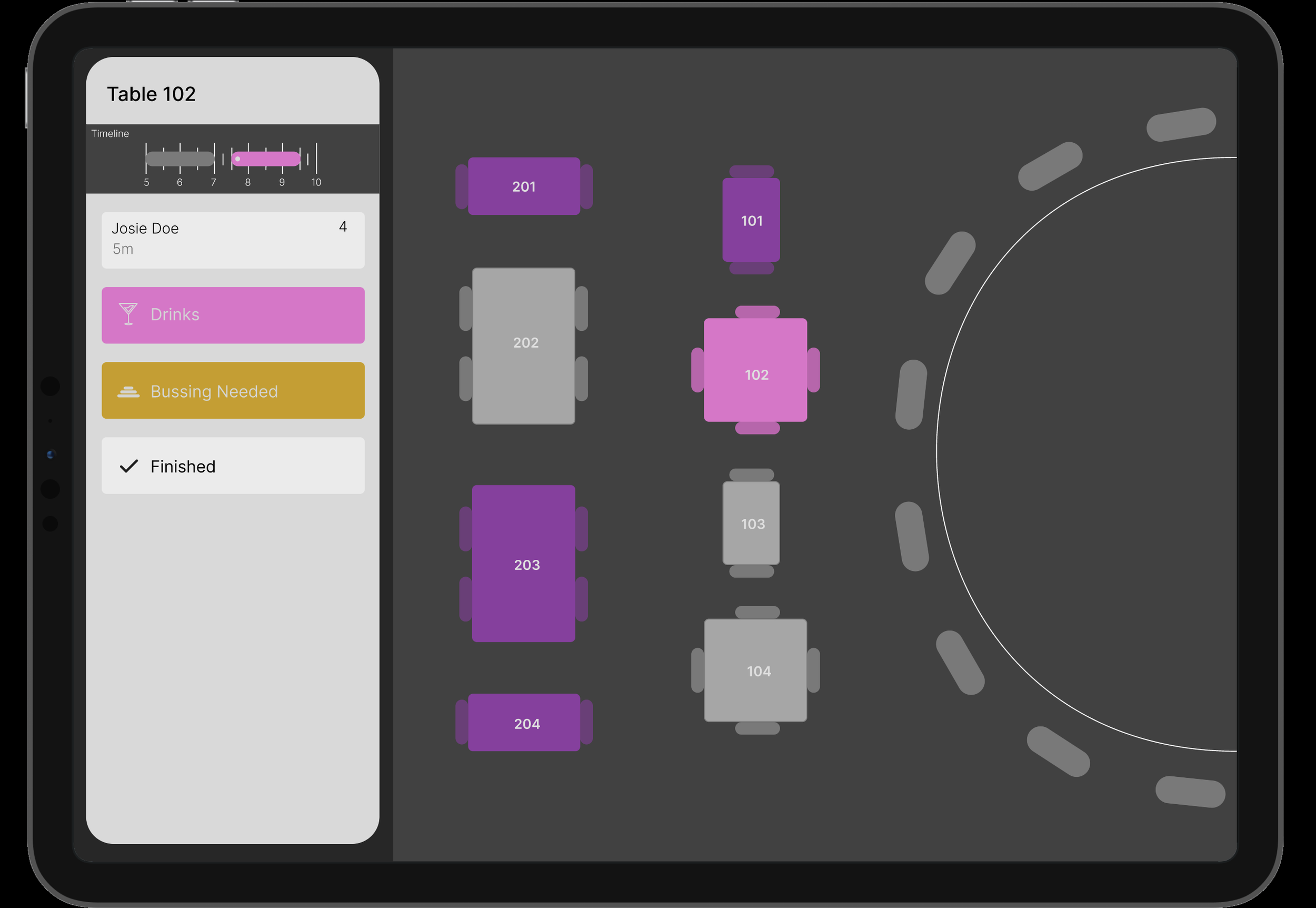
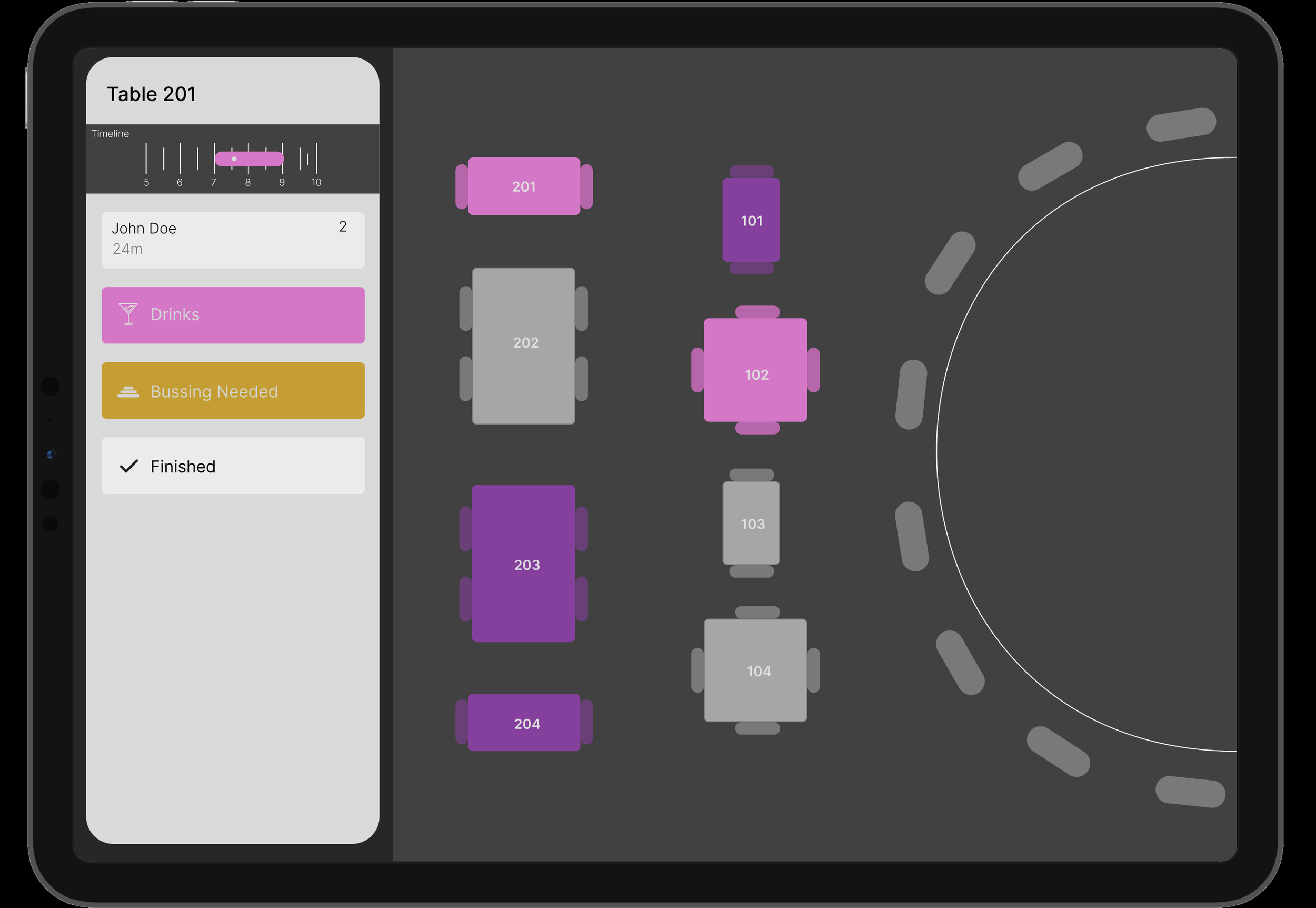
102 has been updated to drinks. Continue update with table 201.
-
![]()
Select table 201.
-
![]()
Change table 201 from 'Seated' to 'Drinks'.
-
![]()
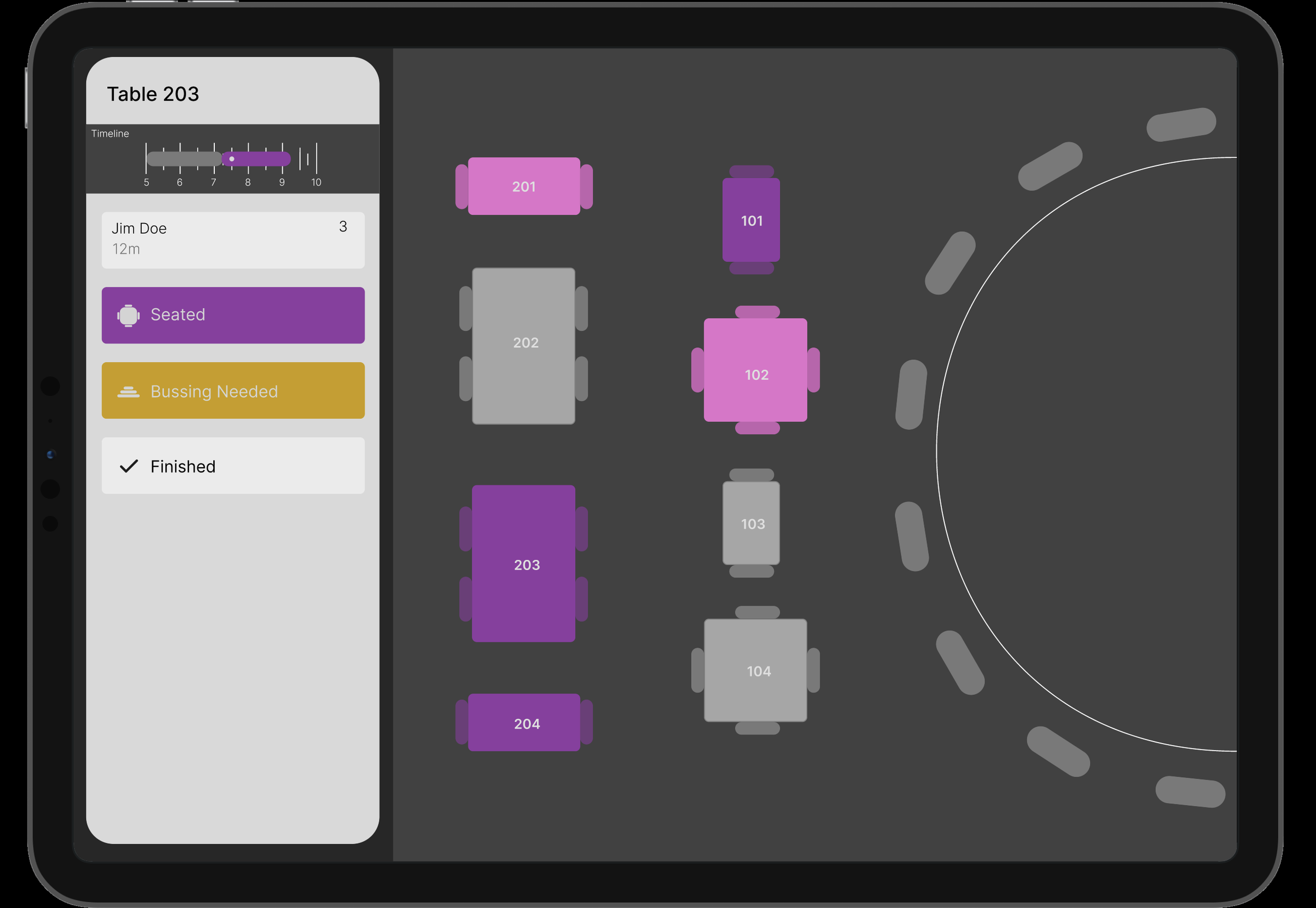
Return to floor plan, enter last table status update. Select table 203.
-
![]()
Select table 203.
-
![]()
Change current seated status to updated status: Drinks!
-
![]()
Verify all tables are correctly updated!
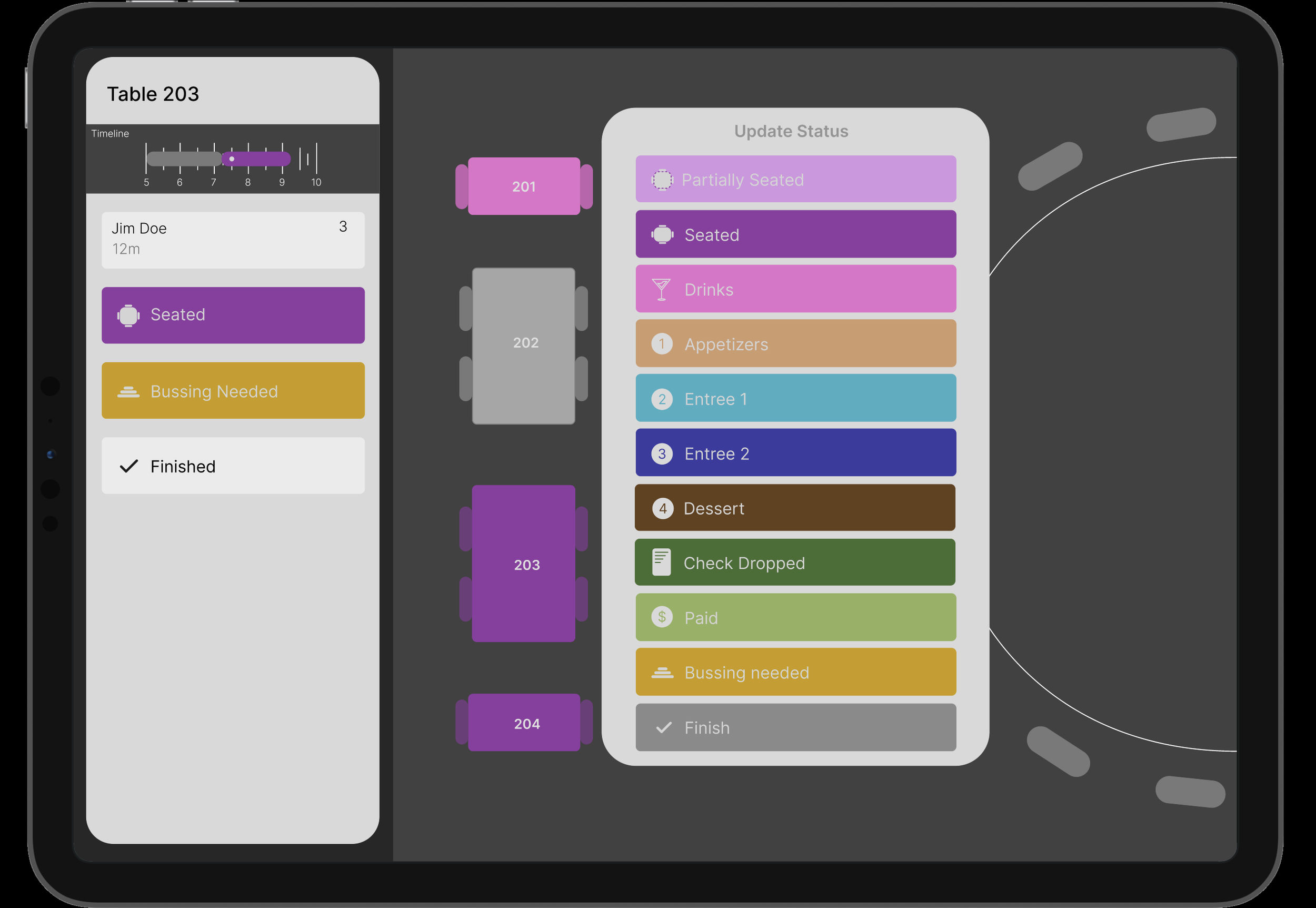
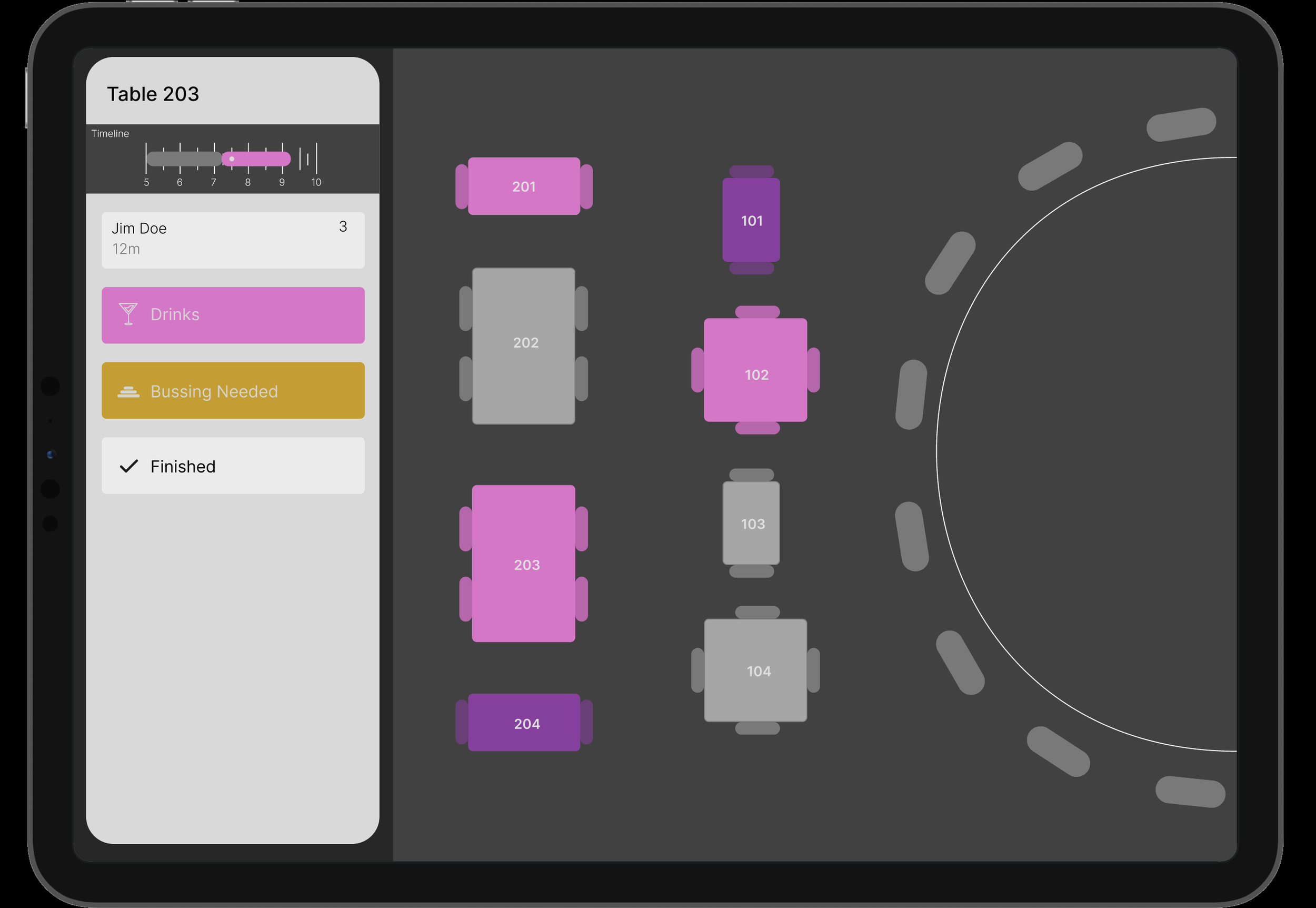
new feature
new feature
new feature
new feature
new feature
new feature
Incorporating the multi-table select for course status
Simply hold down the course to assign multiple tables’ status for quicker updates.
-
![]()
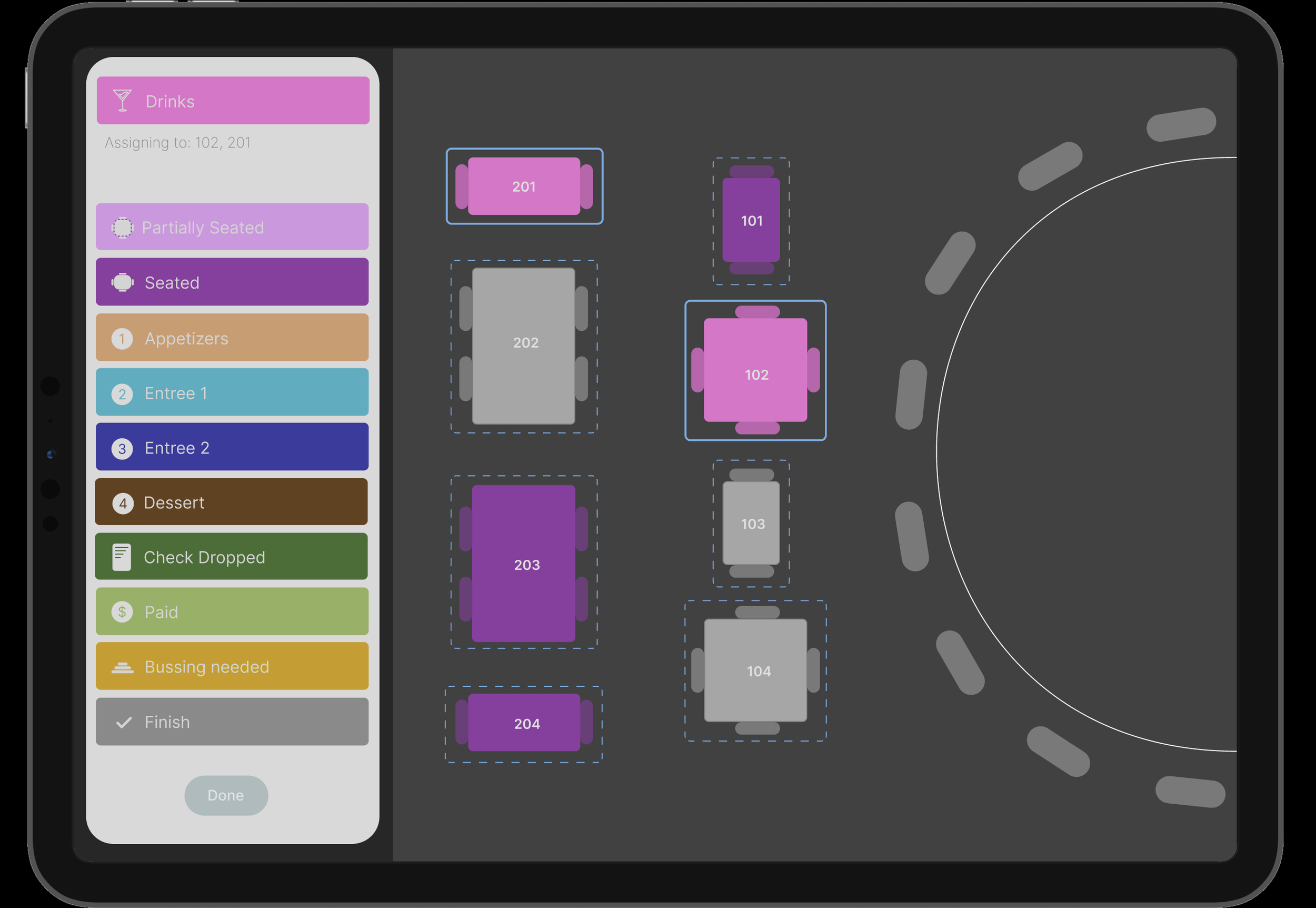
Open up floor plan, select table 201 and update status to drinks. Click the 'Seated' button to be prompted with the status stages.
-
![]()
Press and hold the status to assign multiple tables to. Press and hold on 'Drinks'.
-
![]()
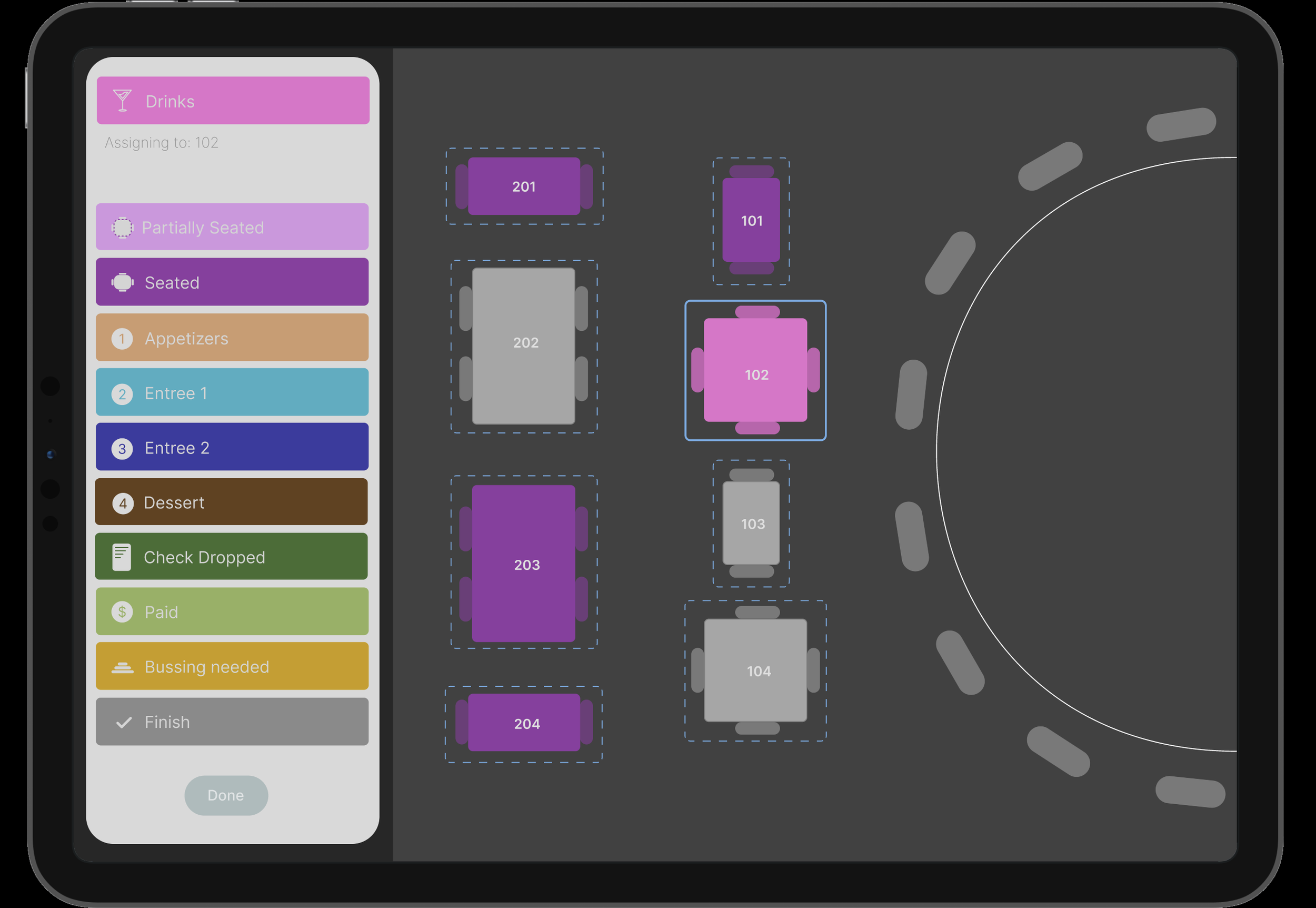
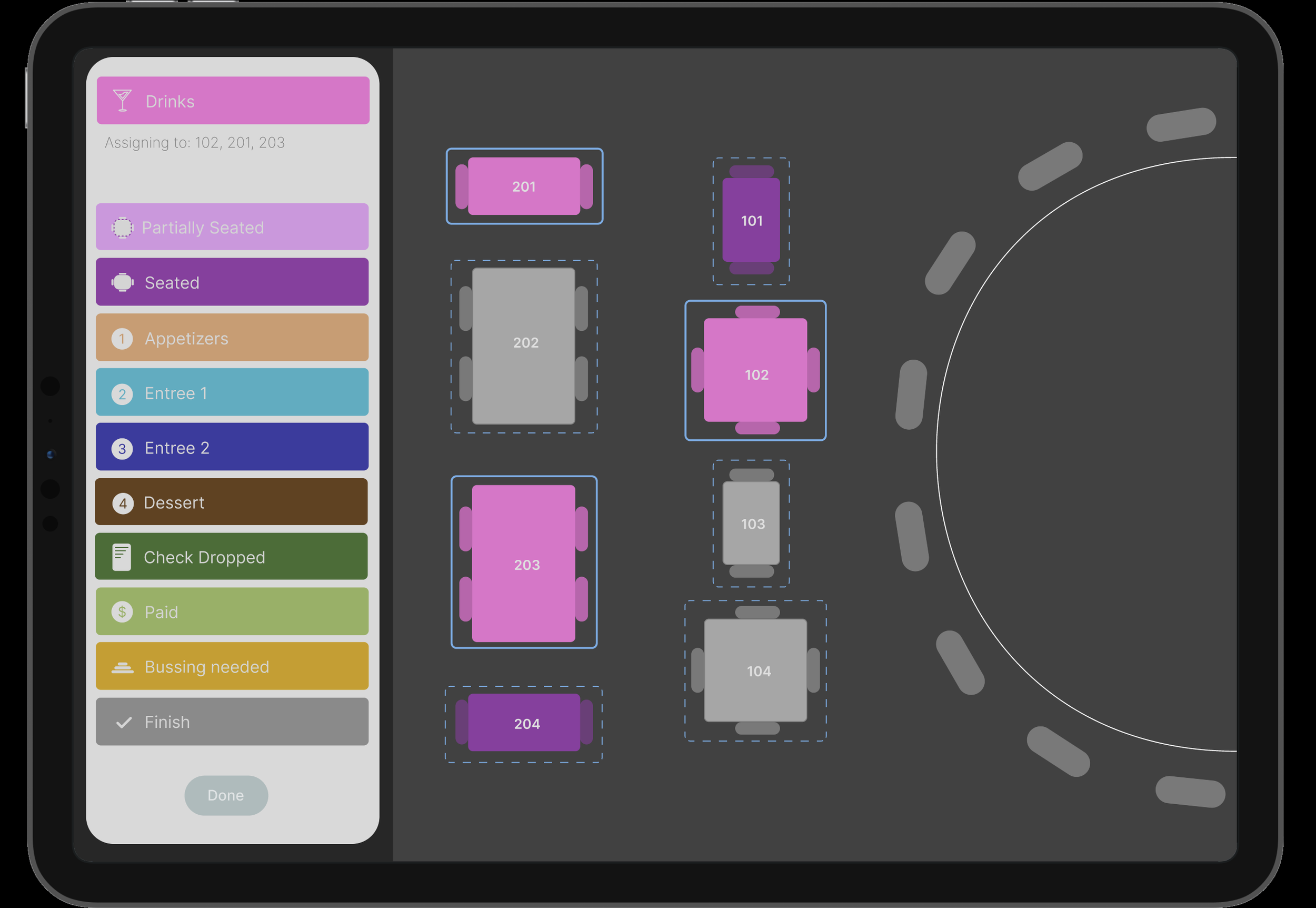
All tables appear outlines to potentially be assigned a status. Solid outline confirms a table has been selected under that status update.
-
![]()
Select table 102
-
![]()
And table 201
-
![]()
Lastly, table 203
-
![]()
Verify all given tables are correctly updated!